
Connect X
X is the one channel in Publiz that costs credits to use. X charges us for every request their API takes, including the ones that just read your numbers back, so we pass that through as X credits rather than folding it into the plan price and hoping it averages out. Almost everything odd about this page follows from that.
Connect it
Section titled “Connect it”-
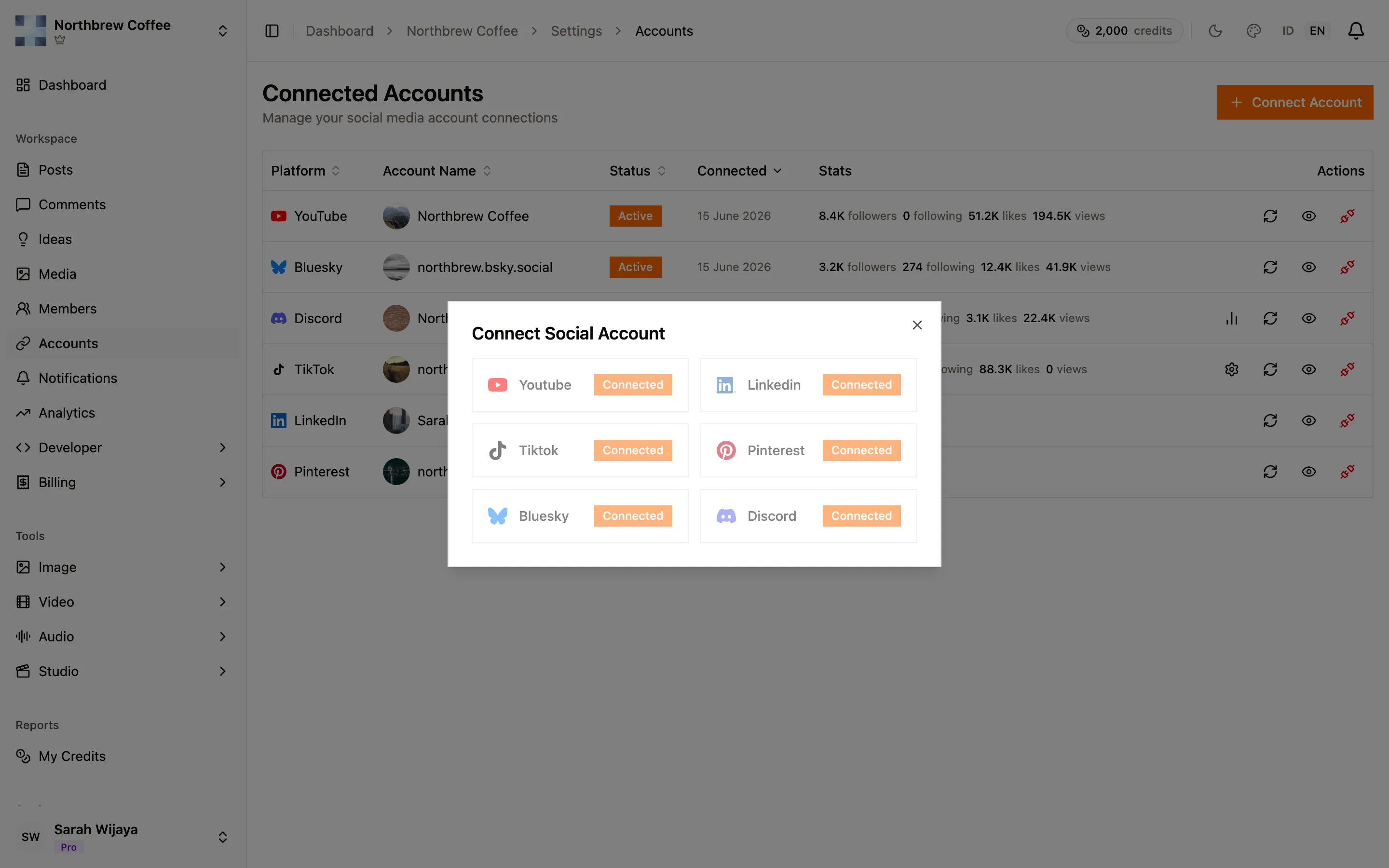
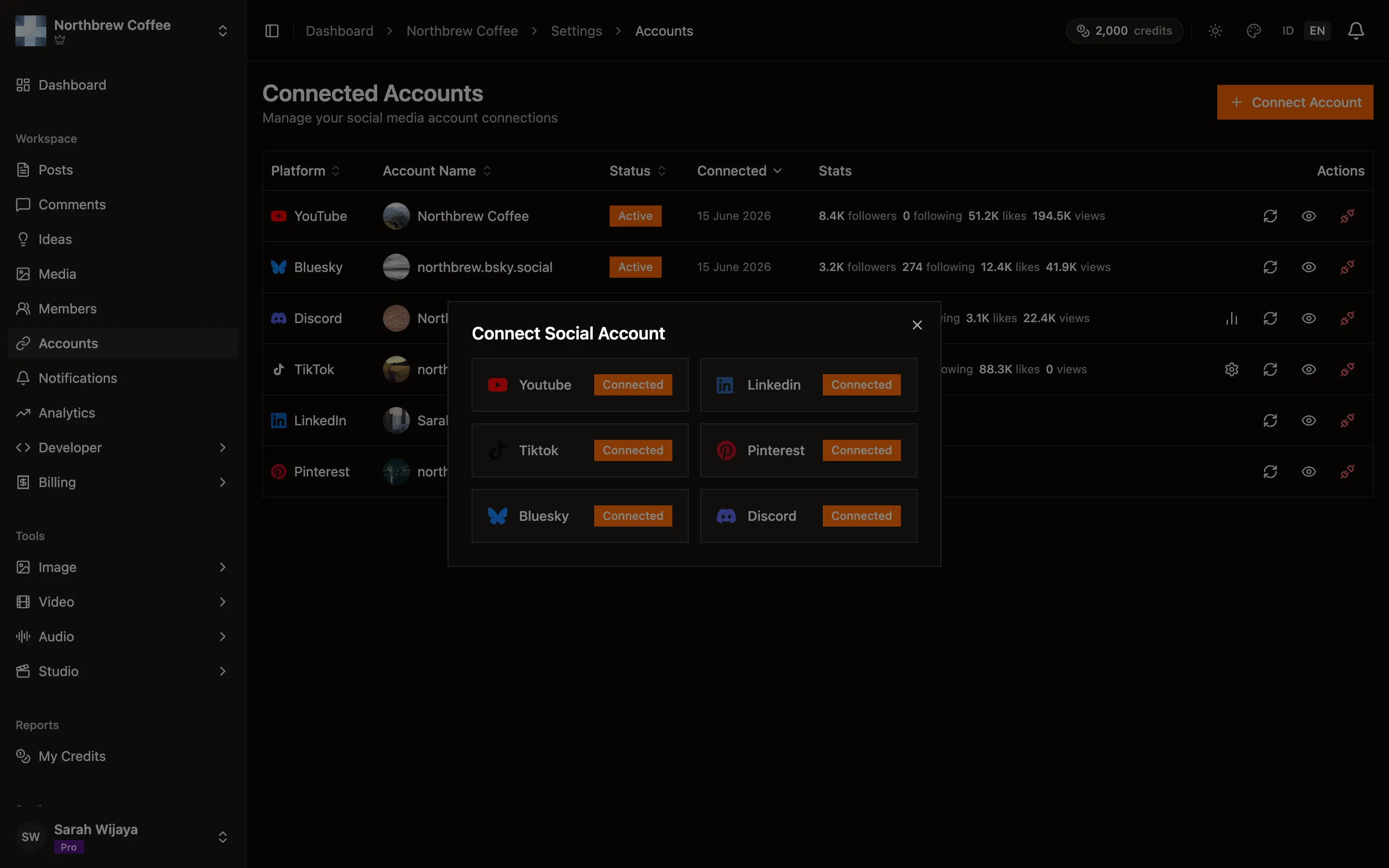
In Publiz, open Settings then Connected Accounts and press Connect Account.
-
Pick X. You land on X’s own permission screen, signed in as whoever is signed in on that browser, so check the handle at the top before you approve.
-
Approve, and you come back to Connected Accounts with the account’s name and avatar on the row.
X hands out access that expires every two hours. Publiz renews it in the background well before that, so in normal use you will never be asked to reconnect. Being asked means the renewal stopped, and reconnecting is the fix.
What it costs
Section titled “What it costs”| What you do | Credits |
|---|---|
| Publish a post | 12 |
| Publish a post containing a link | 160 |
| Each image or video on the post | 16 |
| Delete or unpublish a post | 4 |
| Refresh one post’s numbers, once a day | 4 |
| Refresh the account’s followers and profile | 8 |
A link costs 13 times more than the same post without one. That is X’s pricing, not a markup of ours. One URL anywhere in the body moves the whole post onto the higher rate, and it does not matter whether it is a link to your own site or to somebody else’s.
You can write links as plain text instead. With that on, publiz.app/pricing goes out as
publiz[dot]app/pricing. People can still read and copy it, they just can’t tap it, and the post
stays on the 12-credit rate. Set the default per account with Link display on the account’s row
in Connected Accounts, and change it for a single post with Write links as plain text in
the composer’s X settings.
The composer shows the number before you publish, as a badge next to the publish button, and it updates as you type. This is never something you find out from a bill.
What you get each month
Section titled “What you get each month”X credits come with your plan and reset every month. They do not roll over.
| Plan | X credits a month |
|---|---|
| Free | none |
| Starter | 200 |
| Creator | 750 |
| Pro | 2,000 |
| Agency | 6,000 |
You do not need a paid plan to use X. What you need is credits. Every plan can buy a top-up pack, and on the Free plan that pack is the whole wallet.
Two separate things, worth keeping straight: credits pay X’s bill, your plan caps how many posts you can send. Buying the biggest pack on Free still leaves you with the Free plan’s monthly post limit. If you want to post more, that is what the paid plans are for.
The one thing credits cannot buy on Free or Starter is analytics. On those two plans X is posting only: Publiz never reads your X stats or replies back, because every read costs credits and would eat a small allowance before you got many posts out. X stats start on Creator.
These allowances are sized for normal use, not unlimited use. A plain post costs 12 to publish and, on a plan with analytics, about 40 more over the following month to keep its numbers updated — so the analytics are the larger half of the bill on a quiet account. Four posts that each carry a link come to 640 credits, which is most of a Creator month on its own.
Buying credits
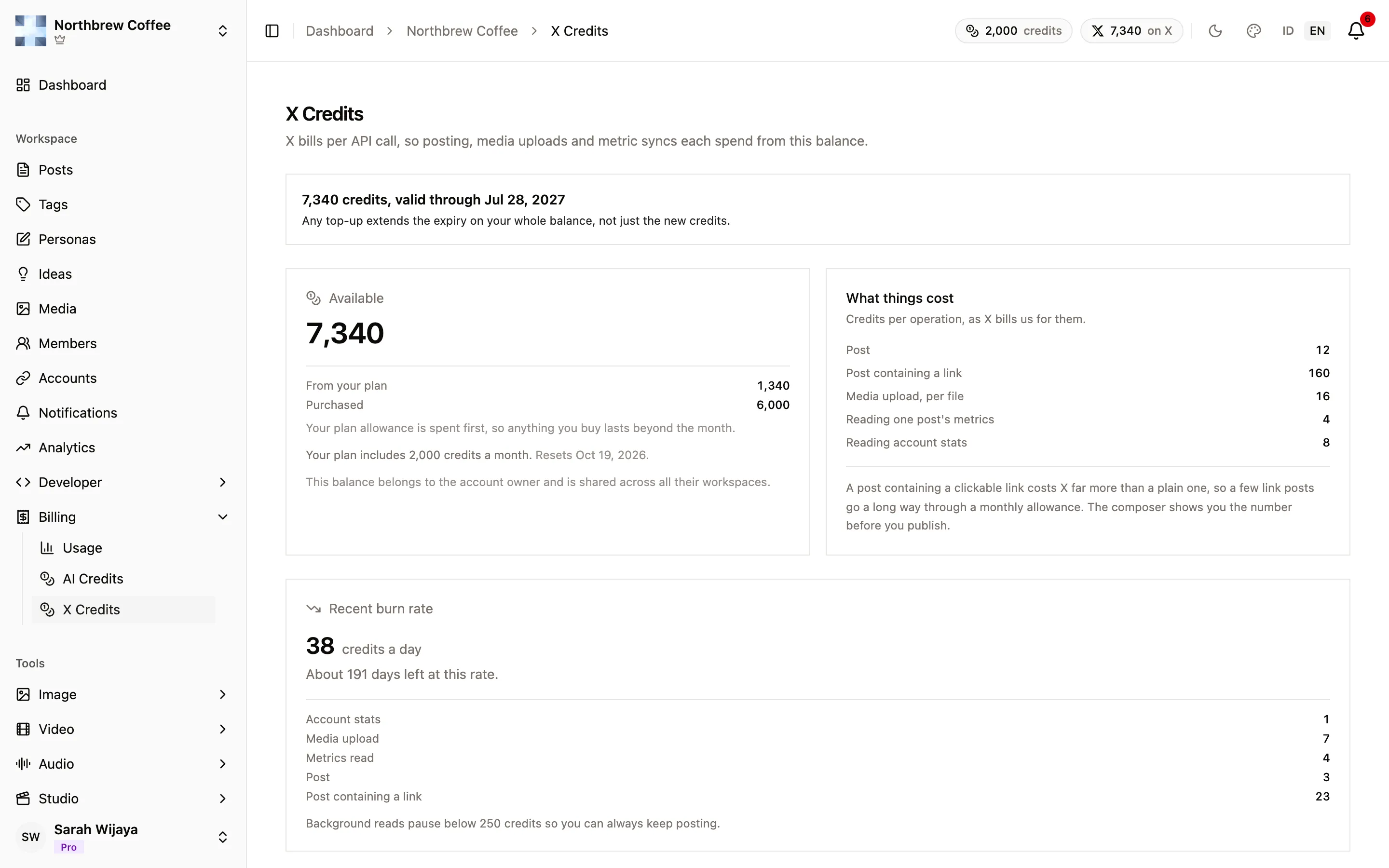
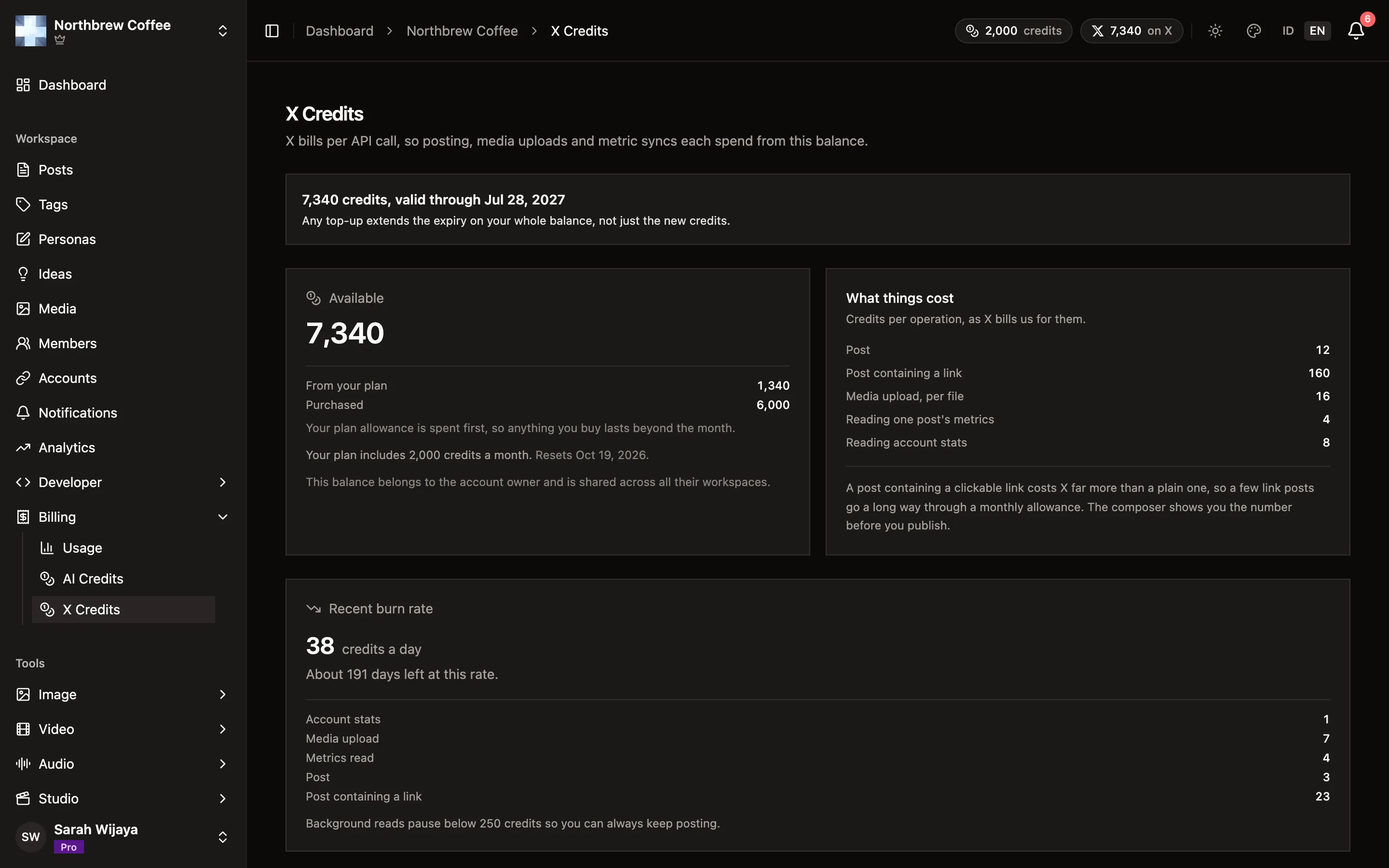
Section titled “Buying credits”Open X Credits in the workspace sidebar, under Billing. The balance belongs to the account owner and is shared across all their workspaces, so only the owner can buy. Members with the X Credits permission can see the balance and activity, but not the top-up packs.
Packs are one-time purchases, paid through checkout:
| Pack | Credits | Price |
|---|---|---|
| Starter | 2,000 | $10 |
| Plus | 6,000 | $27 |
| Pro | 15,000 | $60 |
| Max | 40,000 | $150 |
Prices can change, and the page always shows the current ones. Under each pack is a rough idea of what it buys, as a number of text, photo or link posts. On a paid plan that estimate includes the analytics reads each post costs afterwards.
Your plan’s monthly allowance is always spent first, so purchased credits only start going down once the month’s allowance is used up. Unlike the allowance, they don’t reset at the end of the month.
They do have a shelf life, though: purchased credits are good for 12 months, and every top-up pushes that date out for your whole balance, not just the new credits. So if you buy again before then, you never really run into it. We email you 30 days and 7 days before. If credits do expire they’re paused, not gone, and buying any pack within the next 90 days brings them back.
If you have a voucher code for X credits, redeem it under Settings then Vouchers. Vouchers need a paid plan. Voucher credits join the same balance and keep its current expiry date, they don’t push it out the way a purchase does.
Keeping track
Section titled “Keeping track”The X Credits page shows everything about the balance in one place:
- Available, split into what came from your plan and what you purchased, plus your monthly allowance and the date it resets.
- What things cost, the live price list.
- Recent burn rate: credits a day over the last week, and roughly how many days you have left at that rate.
- Recent activity: every charge, with when it happened, the operation (post, post containing a link, media upload, metrics read and so on), how many units, and the credits it cost.
- Deposits: plan grants, purchases, refunds and vouchers. A post that failed after being charged puts its credits back here as a refund.
The owner also gets the same report under Reports then X Credits, covering the whole account rather than one workspace. The current balance is in the header too, next to the AI credits.
When credits run low
Section titled “When credits run low”Publiz stops reading before it stops publishing, and it stops early rather than at zero. Each plan keeps a small reserve back: 100 credits on Creator, 250 on Pro, 500 on Agency.
Below the reserve:
- Background analytics stop, and the charts show the last numbers they had, marked as paused. They do not drop to zero, and nothing is lost.
- Publishing still works. Losing the ability to post because a chart refreshed itself would be the wrong way round.
Top up and the pause clears on the next successful sync.
At zero, or when purchased credits have expired and are paused:
- A post that’s due to go out waits instead of failing. It tries again every hour for 24 hours, and you get an Out of X credits notification the first time. Top up within the day and it publishes by itself. After 24 hours it fails, and you can retry it from Posts once you’ve topped up.
- You can’t connect a new X account until there are credits to spend.
You can also turn the background reads off yourself, per account, from the sync settings on the account’s row. Both switches are on to begin with.
Writing a post
Section titled “Writing a post”- 280 characters, counting hashtags, your signature and any photo credit. Go over it and the X version becomes a thread. Every post in a thread is its own post to X, so each one costs X credits. If that adds up, write a shorter version just for X, see write once, adjust per channel.
- Images as JPEG, PNG, WebP or GIF, and video as MP4 or MOV.
- Polls work. X refuses a poll on a post that also carries media.
- Unpublishing deletes the post on X.
- A first comment is posted as a reply from your account, so it costs like a post: 12 credits, or 160 when it has a link. The composer won’t let you schedule one your balance can’t cover.
Analytics
Section titled “Analytics”You get likes, replies, shares and impressions per post, plus follower growth for the account. Shares is retweets and quote tweets added together, because both mean the same thing to you and reporting only one of them undercounts.
Views, clicks and saves show a dash rather than a zero. X’s API does not report them.
Numbers stop updating after 30 days. Past that X stops returning the detailed metrics, so continuing to ask would cost credits and return nothing. The last values stay on the post.
Each post is read at most once a day, however many times the sync runs, and newer posts are read more often than older ones. That is what keeps a month of analytics inside the allowance.
Comments and DMs
Section titled “Comments and DMs”X comments do not reach the Inbox. Replies to your posts happen on X itself for now.
Direct messages can come in, but because X charges for every message read, they stay off until you ask for them. Open the account’s Background syncing under Connected Accounts and turn on Direct messages. After that, X DMs only come in when you press Sync in the Inbox, which names the price first. A sync reads the latest page of messages and stops at the ones you already have, and syncing again the same day doesn’t charge twice for the same messages. If Sync asks you to reconnect, do it once so the account can read messages.
When it doesn’t work
Section titled “When it doesn’t work”“Insufficient X credits.” The post costs more than the balance has left. The composer shows the cost, so check whether a link is putting it on the higher rate, then either top up or take the link out. A scheduled post in this state waits for a day rather than failing, see when credits run low.
Analytics stopped but posting still works. That is the reserve doing its job. See when credits run low.
You are asked to reconnect. X’s access expired and the background renewal did not catch it. Press Reconnect on the account row.
The cost jumped and you did not add a link. Check whether the post carries an Unsplash photo. Its required credit line contains a link, which is enough on its own.